
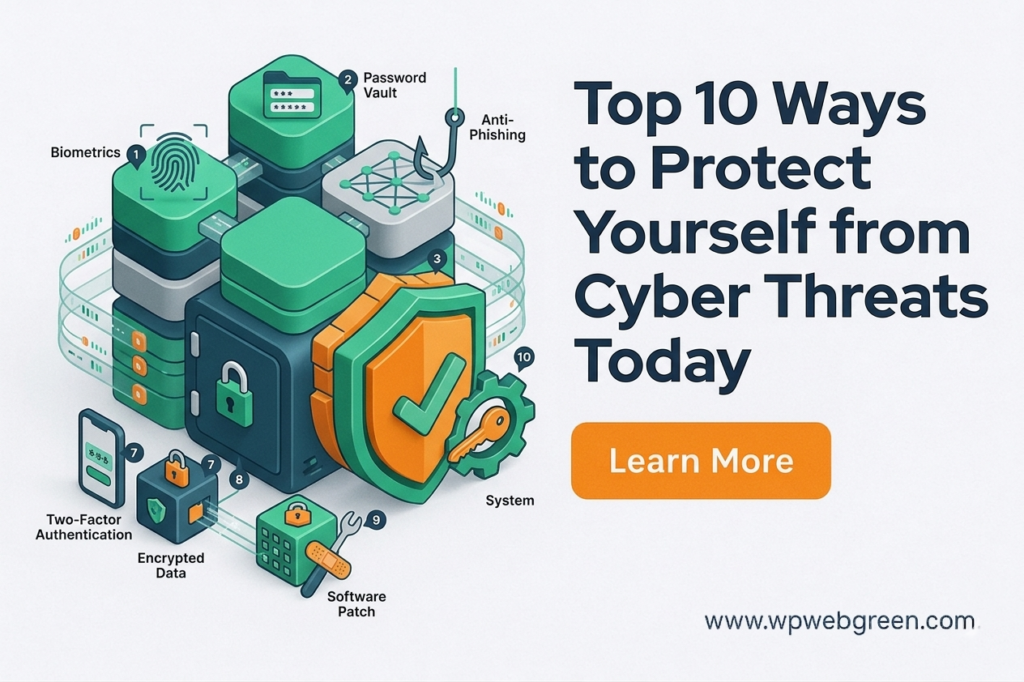
In my years working in cybersecurity, I have witnessed the aftermath of digital intrusions ranging from the devastating life savings wiped out, identities stolen to social media accounts hijacked to scam friends and family. If there is one truth I can impart from a professional standpoint, it is this: compromise is not a matter of “if,” but “when.” By implementing the following ten strategies, you stop being low-hanging fruit. You become a hard target. Let us walk through the professional’s playbook for digital self-defence.
The 10 Essential Strategies
-
Use Strong, Unique Passwords and Enable Two-Factor Authentication (2FA)
-
Keep Software Up-to-Date with the Latest Security Patches
-
Deploy Antivirus Software and a Firewall
-
Exercise Extreme Caution with Emails, Attachments, and Links
-
Apply Encryption to Sensitive Data
-
Maintain Regular, Resilient Backups
-
Leverage Secure Networks (HTTPS and VPNs)
-
Continuously Monitor Accounts for Suspicious Activity
-
Utilize a Password Manager
-
Stay Informed About Emerging Threats
1. Use Strong, Unique Passwords and Enable Two-Factor Authentication (2FA)
This is the foundation of your digital identity, yet it remains the most frequently exploited vulnerability in modern attacks. A strong password is defined by three characteristics: length, complexity, and unpredictability. Rather than using a short, complex string such as P@55w0rd!, security professionals recommend using a passphrase , a sequence of random, unrelated words combined with numbers and symbols, for example, Turtle$Mountain&Airplane9. Such a passphrase is exponentially harder for automated cracking tools to break while remaining memorable for the user.
However, strength alone is insufficient. The critical element is uniqueness. If you reuse a password across multiple websites, a breach at a low-security forum you registered with in 2014 effectively becomes a master key to your email, banking, and social media accounts. Attackers systematically execute what is known as credential stuffing: they take username and password pairs leaked from one breach and automatically test them against hundreds of high-value platforms. If you reuse credentials, you are guaranteed to be compromised eventually.
Two-Factor Authentication (2FA) serves as your essential safety net. Even if an adversary steals your password, they cannot access your account without the second factor. 2FA operates on the principle of requiring two of the following three elements: something you know (your password), something you have (a device or hardware token), or something you are (biometrics). For optimal security, avoid SMS-based 2FA whenever possible. SIM-swapping attacks, where an attacker tricks a mobile carrier into transferring your phone number to their SIM card, have made text message-based authentication increasingly vulnerable. Instead, use an authenticator application such as Google Authenticator, Microsoft Authenticator, or a hardware security key like YubiKey.
2. Keep Software Up-to-Date with the Latest Security Patches
When a software vendor releases an update, the accompanying release notes often obscure the most critical details. Buried within those updates are fixes for vulnerabilities, flaws in the code that attackers actively seek to exploit. In many cases, the vulnerability being patched has already been discovered by malicious actors, a scenario known as a zero-day vulnerability when discovered prior to the vendor’s knowledge, or a known exploited vulnerability once disclosed.
Delaying an update is functionally equivalent to leaving your front door unlocked . Attackers reverse-engineer security patches to identify exactly what flaw was fixed, then develop exploit code targeting systems that have not yet been updated. This is known as patch exploitation, and it typically occurs within hours or days of a patch’s release.
Enable automatic updates for your operating system, web browsers, and any software that handles sensitive information. For critical software, including firmware on routers and network devices, schedule regular manual checks if automatic updates are unavailable. In a professional security context, we treat unpatched systems as inherently compromised.
3. Deploy Antivirus Software and a Firewall
Modern endpoint protection has evolved far beyond the signature-based antivirus of the early 2000s. Today’s security solutions employ heuristic analysis, behavioural monitoring, and machine learning to detect threats based on how software behaves rather than merely comparing files against a known list of malware signatures.
-
Antivirus / Endpoint Detection and Response (EDR): These tools continuously monitor system activity. For instance, if a legitimate application, such as Microsoft Excel, suddenly begins attempting to encrypt hundreds of files in the background, a robust EDR solution will recognize this behaviour as ransomware-like and terminate the process immediately, often before any data is lost.
-
Firewall: A firewall acts as a network-level access control system. It inspects incoming and outgoing traffic based on a defined set of security rules. While your broadband router includes a basic hardware firewall, the software firewall on your device provides critical host-level protection. One of its most important functions is preventing malicious programs from establishing outbound connections to command-and-control servers operated by attackers. Without a properly configured firewall, an undetected malware infection can freely exfiltrate your data without your knowledge.
4. Exercise Extreme Caution with Emails, Attachments, and Links
Email remains the single most common initial attack vector across all industries. In professional security assessments, we consistently observe that human factors, specifically, interaction with malicious emails account for the majority of successful breaches.
Phishing is the practice of sending communications that appear to originate from a legitimate source such as a bank, a software vendor, or a colleague, with the goal of inducing the recipient to disclose credentials, install malware, or authorize fraudulent transactions. Modern phishing attacks have grown increasingly sophisticated. Attackers now use:
-
Spoofed sender addresses that closely mimic legitimate domains (e.g.,
rnicrosoft.cominstead ofmicrosoft.com). -
Brand impersonation using official logos, formatting, and language.
-
Urgency manipulation, creating messages that claim your account will be suspended or funds will be lost unless you act immediately.
Before clicking any link: Hover your cursor over it to reveal the true destination. If the displayed text reads https://www.paypal.com/resolution but the underlying link points to https://paypa1.xyz/resolution, you are looking at a phishing attempt.
Regarding attachments: Treat every unsolicited attachment as a potential malware carrier. Common attack vectors include:
-
PDF exploits: Malformed PDF files can exploit vulnerabilities in PDF readers to execute code.
-
Archive files: Compressed files such as
.zipor.rarmay contain executable malware disguised as invoices or documents.
The professional rule is simple: if you were not explicitly expecting an attachment from a known and verified sender, do not open it. If a message appears to come from a legitimate source but seems unusual, verify by contacting the sender through a separate, independently verified channel not by replying to the suspicious email.
5. Apply Encryption to Sensitive Data
Encryption is the process of transforming readable data plaintext into an unreadable format using a cryptographic key. In practical terms, encryption ensures that even if an attacker gains physical or remote access to your storage, the data remains unintelligible without the corresponding decryption key.
There are two primary states in which data must be protected:
-
Data at Rest: This refers to data stored on physical devices such as laptops, desktops, external drives, and smartphones. Full-disk encryption (FDE) ensures that every byte of storage is encrypted. Without full-disk encryption, a lost or stolen laptop allows anyone with physical access to bypass operating system login screens and read the raw data directly.
-
Data in Transit: This refers to data traversing networks. When you send an email, log into a website, or transfer files, that data passes through multiple network devices. Without encryption, anyone with access to the network path including malicious actors on the same Wi-Fi network can intercept and read the data. This is known as a man-in-the-middle attack.
For sensitive communications, avoid using standard email for transmitting financial account details, or legal documents. Instead, use:
-
End-to-end encrypted messaging platforms.
-
Encrypted file transfer services that support password-protected, expiring links.
-
Zero-knowledge cloud storage providers.
6. Maintain Regular, Resilient Backups
Backups serve as the ultimate recovery mechanism. In the context of cybersecurity, a well-maintained backup strategy renders many attack types, particularly ransomware significantly less damaging. Ransomware operates by encrypting your files and demanding payment for the decryption key. If you possess a clean, recent backup, you can restore your data without engaging with the attacker.
The industry-standard framework for resilient backups is the 3-2-1 Rule:
-
3 total copies of your data (one primary and two backups).
-
2 different media types (for example, an external hard drive and a cloud storage service).
-
1 copy stored off-site (geographically separate from your primary location, ensuring that a fire, theft, or localized disaster does not destroy all copies simultaneously).
Beyond this framework, consider the following professional practices:
-
Air-gapped backups: Store at least one backup on a medium that is not continuously connected to your network. A disconnected external hard drive or offline backup cannot be encrypted by ransomware that has compromised your live systems.
-
Immutable cloud backups: Many enterprise and consumer cloud backup services now offer immutable storage backups that cannot be modified or deleted for a specified retention period, even by administrative accounts.
-
Regular testing: A backup is only valuable if it can be restored. Periodically perform test restores to verify that your backup data is complete and functional.
7. Leverage Secure Networks (HTTPS and VPNs)
Data transmitted over a network without encryption is analogous to sending a postcard through the mail, anyone who handles it can read its contents. Securing network communications requires attention to both application-level and network-level protections.
HTTPS (Hypertext Transfer Protocol Secure) is the foundational standard for secure web communication. It combines HTTP with TLS (Transport Layer Security) encryption, ensuring that:
-
The data exchanged between your browser and the website is encrypted.
-
The website’s identity is verified through a digital certificate.
Before entering any sensitive information, credentials, payment details, personal data verify that the website uses HTTPS. Look for the padlock icon in the browser address bar. Avoid entering sensitive information on websites that use the unencrypted HTTP protocol.
VPNs (Virtual Private Networks) extend encryption to all network traffic from your device, not just web browsing. When you connect to a VPN, your device establishes an encrypted tunnel to a remote server. All traffic passes through this tunnel, preventing anyone on the same local network, such as a public Wi-Fi network at an airport or coffee shop from inspecting your activity.
Public Wi-Fi networks are particularly dangerous because:
-
They often lack encryption.
-
They may be operated by malicious actors specifically to intercept traffic.
-
Attackers can perform man-in-the-middle attacks by creating rogue access points with legitimate-sounding names (e.g., “Free Airport Wi-Fi”).
Using a reputable VPN service on public networks is considered a baseline security practice. For enterprise environments, VPNs also serve to securely connect remote workers to internal corporate resources.
8. Continuously Monitor Accounts for Suspicious Activity
Detection is a critical component of any security strategy. Attackers frequently prioritize persistence over immediate action, they prefer to establish a foothold in your accounts or systems and maintain access quietly, often for weeks or months, before executing their objective. If you can detect their presence early, you can terminate access before significant damage occurs.
9. Utilize a Password Manager
The average user maintains dozens if not hundreds of digital accounts. Remembering a unique, complex password for each account is cognitively impossible without assistance. Password managers solve this problem by providing a secure, encrypted vault that generates, stores, and autofills credentials.
From a professional security perspective, password managers provide three critical advantages:
-
Credential Uniqueness: By generating a random, high-entropy password for every account, the manager ensures that a breach of one service does not compromise any other accounts. This breaks the attack chain of credential stuffing.
-
Phishing Resistance: Password managers autofill credentials based on the domain of the website. If a user navigates to a fraudulent site for example,
faceb00k.cominstead offacebook.comthe manager will not recognize the domain and will not autofill. This provides a silent but effective warning that the site is illegitimate. -
Secure Storage: The vault itself is encrypted with a master password the only password the user must remember. Best practices for the master password include using a long passphrase (four or more random words) that is not used elsewhere.
10. Stay Informed About Emerging Threats
Cybersecurity is not a static discipline. Threat actors continuously evolve their tactics, techniques, and procedures in response to defensive improvements. Staying informed requires engagement with authoritative sources:
The threat landscape is dynamic; defences that were sufficient in 2015 are often obsolete today. Threat Intelligence involves gathering information about emerging attack vectors to adjust defences proactively.
For the professional user, this means understanding new paradigms such as Supply Chain Attacks (hacking a software provider to infect their clients) or Deepfake Technology (using AI to impersonate voices or video for fraud).
Continuous education transforms the user from a static target into an adaptive defender. By following reputable cybersecurity news sources, users can proactively update configurations (e.g., disabling a vulnerable browser extension or enabling a new security feature) before mass exploitation begins.
Final Thoughts
Security is a process, not a product. No single tool, whether antivirus software, a password manager, or a VPN can provide comprehensive protection in isolation. Effective security requires the layered implementation of controls, a principle known in the profession as defense in depth.
By systematically implementing these ten strategies, you move from being an opportunistic target to a hardened one. In the threat landscape, attackers consistently pursue the path of least resistance. When they encounter a user with strong, unique credentials protected by 2FA, updated software, cautious email habits, encrypted data, reliable backups, secure network practices, active monitoring, password management, and current threat awareness, they move on to an easier target.
Stay vigilant. Stay updated. Stay secure.